As Earth Day approaches, you might be wondering how to align your study routine with your environmental values. We've made progress. Trading heavy backpacks and overflowing binders for tablets has saved many forests. However, the digital world is not invisible; it has its own carbon footprint.
Embracing eco-friendly study methods is about more than just going paperless. It’s about fine-tuning your entire digital workflow to be as sustainable as it is efficient.
In this guide, we’ll dive into how you can hit your GPA goals while shrinking your impact on the planet through "Green IT" and smarter tech habits.
The Environmental Case for Digital Studying
For years, the image of a "serious" student was someone buried under a mountain of paper and highlighters. But the reality behind those materials is a bit grim. Traditional textbook manufacturing requires staggering amounts of water and is a major driver of global deforestation.
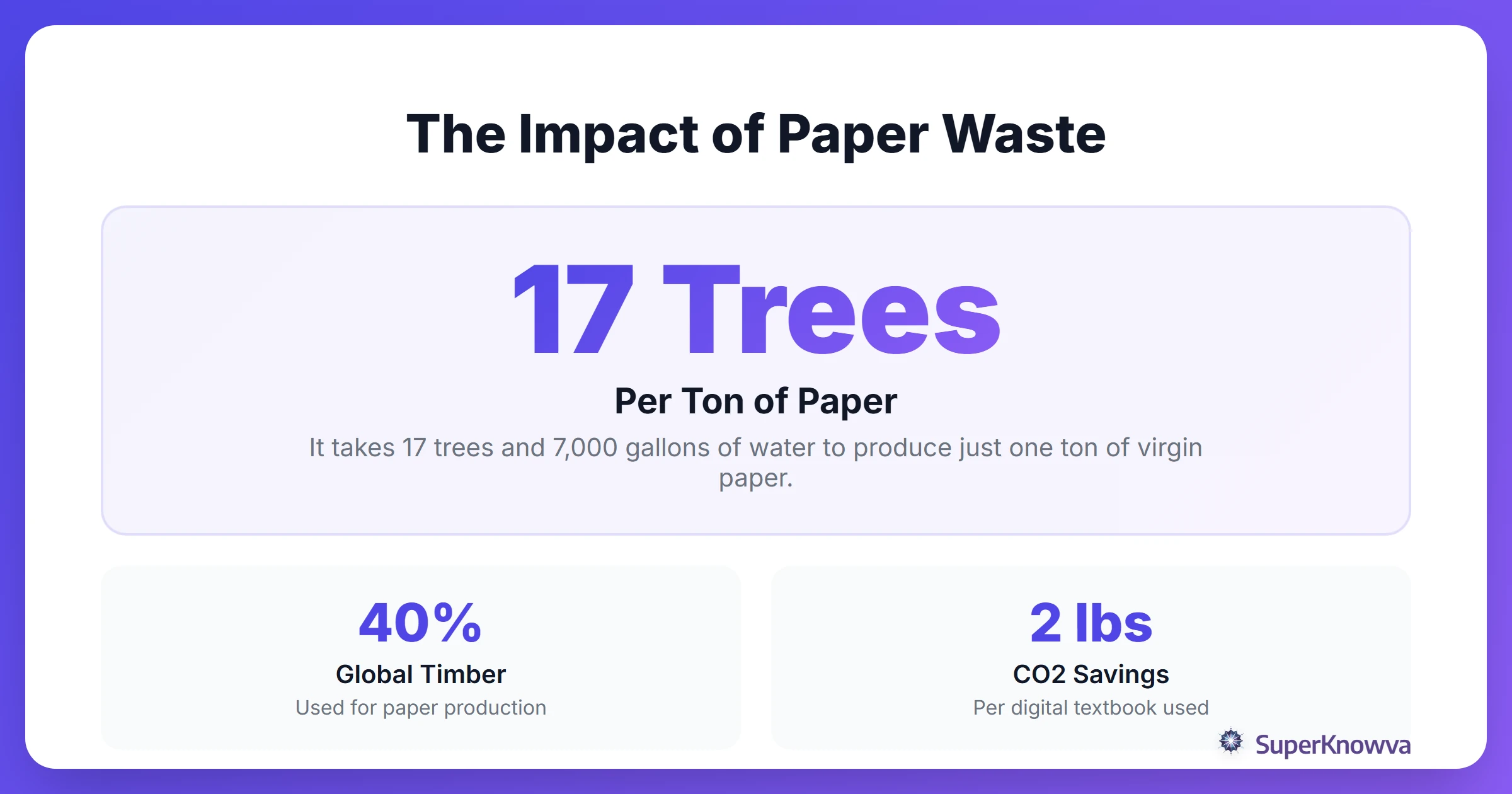
By switching to digital platforms, you reduce your impact on these issues. According to University of Bath sustainability research, analyzing the lifecycle of daily tools leads to better choices. While your laptop needs energy and rare minerals, its long-term sustainability potential outweighs the "cut-and-discard" cycle of paper. This shift defines Green IT for students, which means using technology in an efficient and sustainable way.
Digital Minimalism: Decluttering for the Planet
It’s easy to assume digital files are "weightless" because they don't take up physical space. In reality, every gigabyte you store in the cloud lives on a physical server in a massive data center. Those centers require incredible amounts of electricity and water just to keep the hardware cool.
By practicing digital minimalism for students, you’re not just clearing your head; you’re reducing your digital carbon footprint.
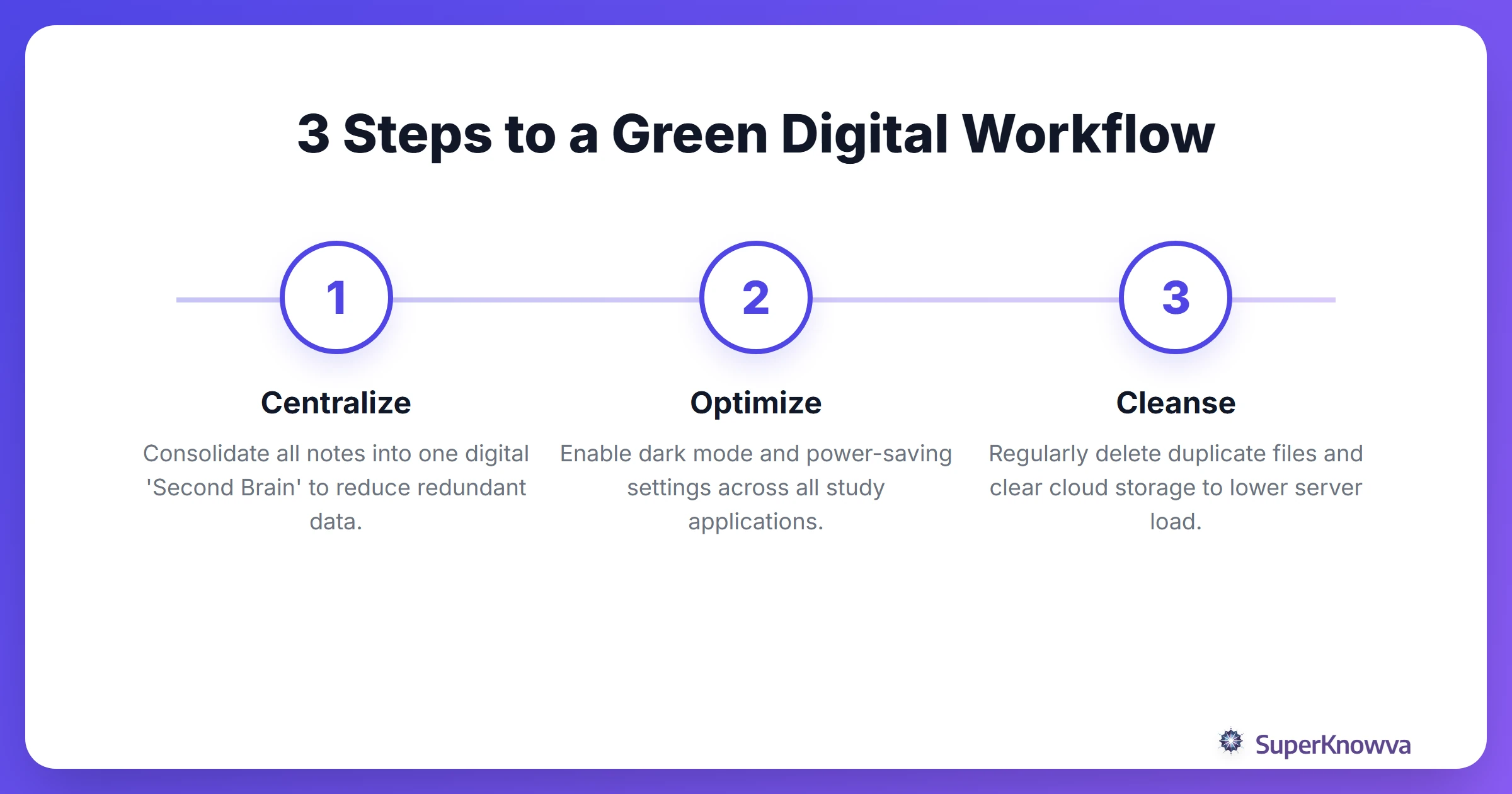
Ever heard of "zombie files"? These are the old essay drafts, duplicate downloads, and blurry screenshots sitting in your storage, quietly racking up hidden energy costs. Cleaning up your file structure helps you find your notes faster and lowers the energy demand on the servers hosting your data. Plus, focused study sessions mean less "screen-on" time, which directly translates to lower power consumption. It’s a win-win.
Sustainable Hardware Habits
The most eco-friendly device on the market? It’s the one you already own. We live in a culture of constant upgrades, but the most impactful sustainable studying habit you can adopt is simply extending the lifespan of your gear.
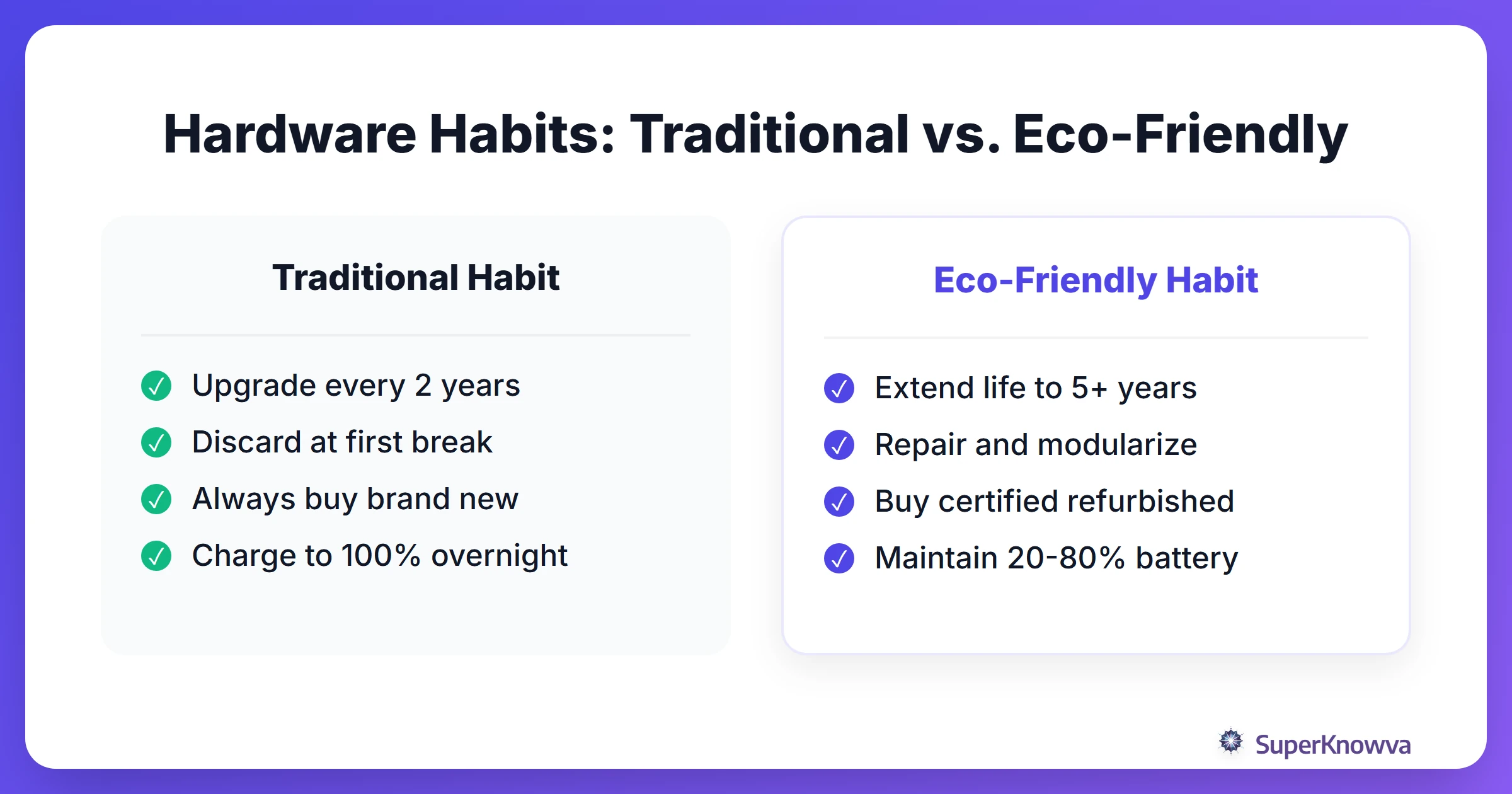
This aligns with the "Right to Repair" movement. Instead of eyeing the latest model the second your screen cracks or your battery starts to lag, look into repairs. To keep your tech running longer, watch your battery health. Keeping your laptop or tablet charge between 20% and 80% can significantly stretch its total lifecycle.
When it finally is time for an upgrade, look for refurbished tech or eco-certified hardware. And please, whatever you do, don't toss your old electronics in the trash. Use certified recycling programs to ensure those heavy metals are recovered safely rather than ending up in a landfill.
Optimizing Your Digital Second Brain
The goal is simple: eliminate the need for physical planners, sticky notes, and printed handouts. Organizing your files effectively is a major part of Building a Second Brain. This method creates a centralized digital hub for all your knowledge, which cuts down on redundant data storage.
AI-powered platforms like SuperKnowva provide a distinct advantage here. Think about how many redundant Google searches you perform daily, each one pinging a server. AI can help you synthesize information, improving your research process. Instead of grabbing a giant flipchart for your next brainstorming session, try Mind Mapping 101 techniques using digital canvases. These tools don't just save paper; they make it easier to collaborate remotely, saving you a trip to the library and reducing travel emissions.
Energy-Efficient Study Sessions
How you use your device matters just as much as what you use. If you have a device with an OLED screen, switching to Dark Mode saves energy by turning off black pixels entirely.
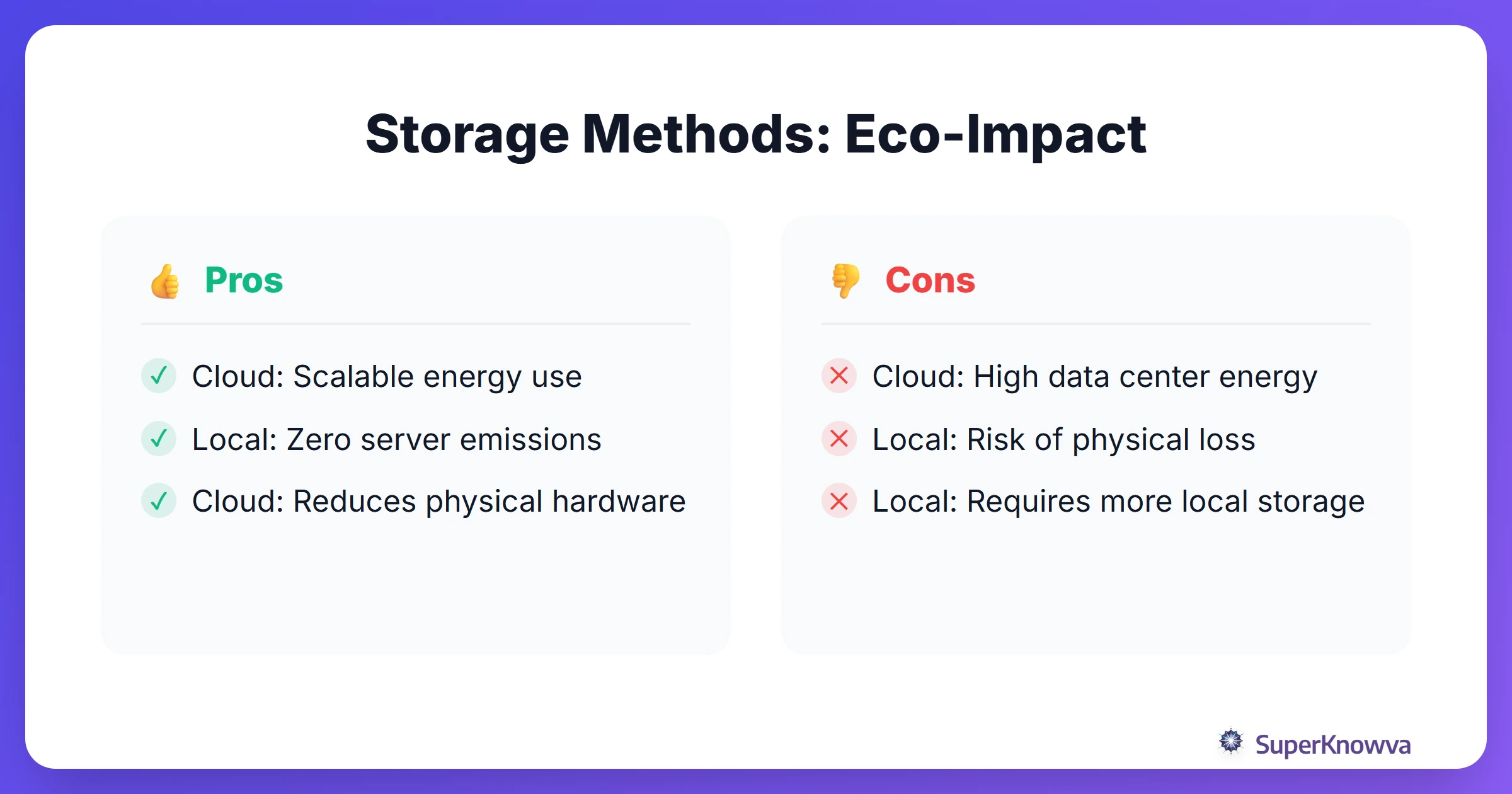
Practicing Deep Work for Students helps you wrap up your tasks faster, meaning your devices spend less time drawing power. To save more energy:
- Manage Brightness: Dimming your screen even slightly can make a huge difference in battery life.
- Offline Mode: Download your readings and kill the Wi-Fi. It stops your device from constantly "pinging" background servers and keeps you focused.
- Off-Peak Tasks: If you have to do something heavy, such as rendering a video or downloading a massive dataset, try to do it during off-peak hours when the energy grid is under less stress.
The Future of Eco-Conscious Education
Green study habits aren't just a passing trend. This is a movement driven by students who care. Gen Z's pro-environmental behavior is already forcing the tech industry to change, demanding carbon-neutral cloud providers and more sustainable software.
As we move toward a zero-waste academic lifestyle, our tools will only get more efficient. But you don't have to wait for the "perfect" tech to start.
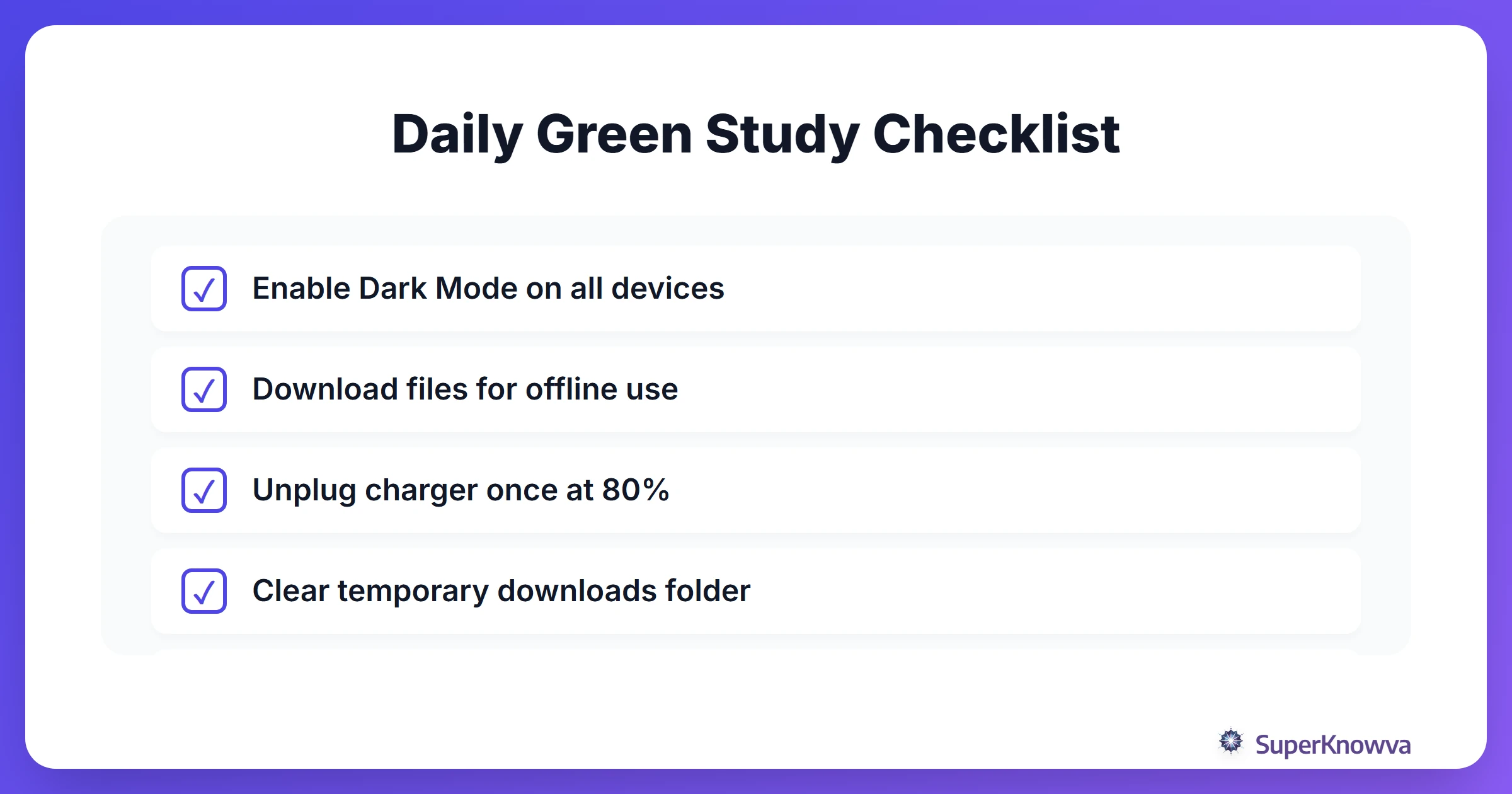
By weaving these sustainability practices into your daily routine, you’re doing more than just earning a degree. You’re contributing to a healthier planet. Start small today: clear out that "Downloads" folder, toggle on Dark Mode, and take care of the hardware you have. Every digital action counts.